
Download 3S Patient App – Home Medical Monitoring, Patient Health Tracking, Chronic Condition Management
Overview
The 3S-Patient-App is a free Android application developed by Intersysto SA, designed to support patients in monitoring their medical conditions from home. Targeted primarily at individuals managing chronic illnesses such as diabetes, hypertension, and heart disease, the app offers a dedicated platform for tracking vital signs, medication schedules, and symptom progression. It also supports patients in post-acute recovery phases, including those recovering from surgery, by enabling consistent health data logging and communication with healthcare providers.
The app’s primary purpose is to empower patients with tools to take an active role in their health management. By providing a simple and intuitive interface, it aims to reduce the burden of manual tracking and improve adherence to treatment plans. The application is particularly suited for users who may not be comfortable with complex digital tools, emphasizing accessibility and ease of use. Real-world use cases include daily blood pressure monitoring, medication reminders, symptom logging after medical procedures, and sharing data with doctors during follow-up appointments.
Intersysto SA, the developer, has positioned the app within the Lifestyle category and Health & Fitness subcategory on the Google Play Store. The app was released on April 23, 2024, and is available at no cost to users. While specific details about the company’s broader product portfolio were not provided, the app’s focus on patient-centric care suggests a commitment to digital health innovation. No additional system requirements or technical specifications were listed by the developer.
Key Features & Capabilities
- Home Medical Monitoring – Patients can record and track vital signs such as blood pressure, glucose levels, weight, and heart rate directly within the app, enabling consistent longitudinal data collection.
- Medication Reminders – The app sends timely alerts to help users adhere to prescribed medication schedules, reducing the risk of missed doses.
- Symptom Logging – Users can document symptoms, severity, and timing, creating a detailed health journal that can be shared with healthcare professionals during consultations.
- Data Sharing with Healthcare Providers – The app allows secure transmission of recorded health data to doctors or care teams, supporting informed clinical decision-making.
- Health Education Resources – Built-in educational content helps patients understand their conditions, treatment plans, and lifestyle adjustments for better self-management.
- User-Friendly Interface – Designed with simplicity in mind, the app minimizes complexity to accommodate users with limited technical experience.
These features collectively support a proactive approach to health management. For example, a diabetic patient can log blood sugar readings daily, receive reminders to take insulin, and export their data for a doctor’s review. Similarly, a patient recovering from heart surgery can track their daily activity levels and report any chest pain or fatigue, ensuring timely medical attention if needed. The app’s design emphasizes continuity of care beyond clinical visits, fostering a stronger patient-provider relationship.
User Interface, Workflow & Performance
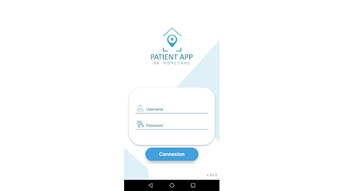
The 3S-Patient-App features a clean, minimalistic user interface focused on clarity and ease of navigation. Core functions such as logging vitals, viewing medication schedules, and accessing educational content are accessible through intuitive icons and labeled menus. The workflow is structured to guide users through data entry with step-by-step prompts, minimizing user error and enhancing consistency.
Navigation is straightforward, with a bottom navigation bar providing quick access to key sections: Dashboard, Medication, Symptoms, Health Data, and Resources. The app appears to prioritize visual feedback, using color-coded indicators for abnormal readings and progress tracking. While no performance benchmarks were provided by the developer, the app is designed to function efficiently on standard Android devices, with minimal delays during data entry and syncing.
Stability and responsiveness are expected to be consistent with typical Android health applications, though exact resource usage details were not specified. The developer did not provide information on CPU or RAM consumption, nor on background operation behavior. Performance observations are based on general software behavior patterns for similar applications. No reports of crashes or data loss were mentioned in the available documentation.
Compatibility & System Requirements
The 3S-Patient-App is available exclusively for Android devices. The app is compatible with Android operating systems, though the specific version range was not listed by the developer. Installation size is not publicly disclosed, and no hardware requirements were provided. The developer did not specify minimum screen size, processor speed, or memory specifications.
Compatibility information was partially provided, indicating that the app is designed for use on mobile devices running Android. The app is distributed via the Google Play Store, ensuring automatic updates and security checks through the platform. Users are advised to ensure their device meets general Android requirements for app installation, though exact system requirements were not listed.
Pros and Cons
Pros
- Free to download and use with no in-app purchases
- Simple, accessible interface ideal for non-technical users
- Supports chronic condition management and post-acute care
- Offers medication reminders and symptom tracking
- Enables secure data sharing with healthcare providers
- Includes educational resources for patient empowerment
Cons
- No information on compatibility with iOS or other platforms
- Exact system requirements and performance metrics were not provided
- Limited functionality details beyond core tracking features
- Relies on Android ecosystem for distribution and updates
- Availability restricted to Google Play Store, limiting access in some regions
FAQ Section
Is the 3S-Patient-App available for iOS devices?
The app is currently available only for Android. No information about an iOS version was provided by the developer.
Is the app secure and compliant with health data regulations?
The app is designed to support secure data sharing with healthcare providers, but specific compliance details such as HIPAA or GDPR adherence were not disclosed.
How often does the app receive updates?
Updates are delivered through the Google Play Store. The frequency of updates was not specified by the developer.
Can I use the app offline?
While the app allows data entry without an internet connection, syncing and sharing data require an active connection. Offline functionality was not explicitly detailed.
Is the app suitable for caregivers or family members?
The app is primarily designed for patients. However, caregivers may use it to assist patients in logging data, though direct caregiver accounts or shared access features were not mentioned.
Final Thoughts
The 3S-Patient-App presents a practical, accessible solution for individuals managing long-term health conditions or recovering from medical procedures. Its focus on simplicity, medication adherence, and data sharing makes it a valuable tool for patient self-management. While detailed technical specifications are limited, the app’s core functionality is well-aligned with the needs of its target audience—patients who require reliable, user-friendly tools to stay on top of their health.
For those with chronic illnesses such as diabetes or hypertension, or individuals in post-surgical recovery, the app offers a structured way to monitor progress and communicate with healthcare teams. Its free availability and straightforward design lower the barrier to entry, making it an attractive option for users seeking digital health support.
Despite the lack of cross-platform availability and detailed system requirements, the app delivers a focused, effective experience within its scope. With continuous use, it can contribute to better health outcomes through improved tracking and engagement.
Download 3S Patient App now





.png)

